Buying a vintage cassette deck: heads, transport, tape types and Dolby, checked before you pay
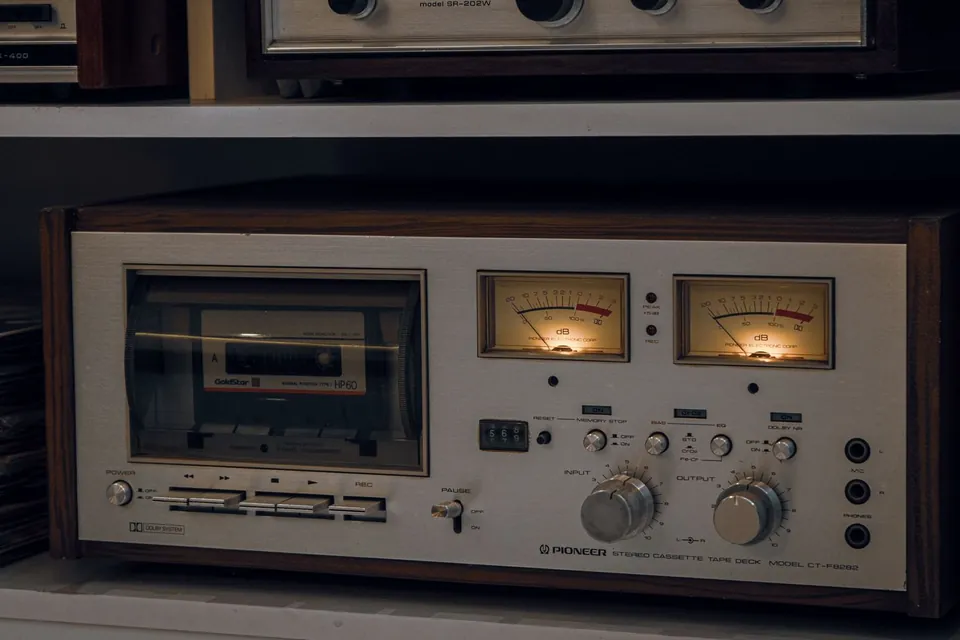
A Nakamichi 550 portable cassette recorder of the 1970s. Small machines like this one were built to record well, not just to play. Photo: Alex Noble (edited by Pittigrilli), Wikimedia Commons, CC0 1.0.
The cassette was never meant to be a high-fidelity format. Philips launched it at the Berlin Radio Show in 1963 as a convenient dictation and music medium, running its narrow tape at a slow 4.76 cm (1⅞ inches) per second. Over the next three decades, better tape, noise reduction and very precise transports turned it into something that, at its best, sounds remarkably good. The catch is that the gap between a good deck and a tired one is huge, and most of what separates them cannot be seen in a listing photo.
Start with what you want it for
Most people buying a cassette deck today want one of three things: to play an existing collection, often home recordings and mixtapes; to digitise those tapes; or to record new cassettes for the pleasure of it. The answer changes what you should look for.
- Playing old tapes. A healthy two-head deck with Dolby B playback is enough for most commercial and home tapes, provided the transport is in good order and the head is not worn.
- Digitising. Playback quality is everything; recording features matter little. An adjustable playback azimuth, or at least a head that can be aligned, helps more than any number of features. Our method for transferring tapes to digital explains why.
- Recording new cassettes. This is where three heads, bias adjustment and Dolby C or S earn their place, and where a deck in perfect mechanical condition becomes essential.
Two heads or three
A cassette deck needs an erase head and a record/playback function. Most consumer decks combine record and playback in one head, which is a compromise: the ideal gap for recording is not the ideal gap for playback. Three-head decks use a separate record head and playback head, so each can be optimised, and they let you monitor the recording off the tape a fraction of a second after it is made. That is the main practical benefit: you hear exactly what is going onto the cassette, and you can switch between source and tape to compare.
A three-head deck is not automatically better at playing your old tapes. A well-kept two-head deck from a good maker can outperform a neglected three-head one. Check the playback head first, whatever the design: a worn head shows a flat, shiny groove across its face where the tape runs, and it costs dearly to replace on decks whose parts are no longer made.
Transport: capstans, pinch rollers and belts
Speed stability is what makes a cassette sound steady, and it depends on the transport. Most decks use a single capstan and pinch roller. Better decks use a dual-capstan transport, with a capstan on each side of the heads, which keeps the tape under even tension where it passes the heads and reduces flutter. Both designs work well when they are healthy.
What usually fails is the rubber. Drive belts stretch, soften or turn to sticky goo after decades, and pinch rollers harden and glaze. The symptoms are easy to recognise: wow (a slow, sickly pitch wobble on sustained notes), speed drifting during a side, a tape that will not fast-wind or stops partway, and, worst of all, a deck that pulls tape into the mechanism. Replacing belts and a pinch roller is routine on most decks, and kits exist for many popular models; on some designs, though, it means dismantling half the mechanism. Our overview of what fails in vintage hi-fi covers the rest of the usual list.
Auto-reverse and azimuth
Auto-reverse decks play the second side without the cassette being turned over, either by rotating the head or by using a head with separate tracks for each direction. It is convenient, but the head has to sit at exactly the right angle to the tape, the azimuth, in both directions. If it is slightly off on one side, the treble on that side is dull. Many auto-reverse decks are fine; for serious playback or digitising, a one-direction deck is the simpler choice, because there is one azimuth to get right instead of two.
Azimuth also matters for tapes recorded on another machine. A cassette made decades ago on a portable recorder may have been recorded at a slightly different angle. Decks with adjustable playback azimuth, or a technician willing to set it per tape, can recover treble that otherwise seems lost.
Tape types and bias
Cassette tape comes in recognised types, marked on the shell and on the deck's selector. Type I is ordinary iron-oxide tape; Type II is chrome or cobalt-doped "high bias" tape; Type IV is metal tape, introduced in 1979. Type III, a ferrichrome mix, never caught on. Each type needs its own recording bias and playback equalisation, and the deck must be set for the right one. Later decks read notches on the back of the shell and switch automatically.
When you test a deck, check that it actually recognises the type: play a Type II cassette and see whether the indicator changes. If the sensing switch is dirty or broken, chrome tapes will play back too bright or too dull. If you plan to record, note that a deck only reaches its best with a tape close to the one it was calibrated for; decks with a bias adjustment or automatic calibration cope better with the tapes available today.
Dolby B, C and S
Hiss is the cassette's natural weakness, and noise reduction was the answer. Dolby B, introduced in 1968, gives roughly 9 dB of noise reduction and was used on most pre-recorded music cassettes. Dolby C (1980) gives about 15 dB, and Dolby S, from the late 1980s, goes further. Each must be decoded with the same system used to encode it. A Dolby B tape played without decoding sounds bright and hissy rather than ruined; a Dolby C tape played without decoding sounds harsh.
So a deck with B and C covers almost everything in a typical collection. Dolby S decks are the most refined of the format, but they are rarer and dearer, and only worth it if you record, or own tapes made in S. Dolby HX Pro, often printed on later decks, is not noise reduction: it adjusts bias while recording to let the tape take more treble, and tapes made with it play normally on any deck.
A five-minute test before you pay
Bring a cassette you know well, ideally a commercial one and a home recording, plus headphones. A short test will tell you more than any description.
- Look at the heads and the pinch roller with a torch. The roller should be matt and even, not shiny, cracked or sticky. The heads should be clean, with no deep groove.
- Play a sustained piece of music, piano or a held note. Listen for wow and for the pitch drifting. Watch the reels turn steadily.
- Fast-wind both ways to the end and back. The deck should stop cleanly at the end of the tape without slack.
- Check both channels and the meters. A dead channel or a meter that stays still points to electronic faults, not just dirt.
- Record a minute and play it back if the deck is meant to record. On a three-head deck, switch between source and tape while recording.
- Ask about service history. New belts and a cleaned mechanism are worth real money; "it just needs a belt" from a seller who has not fitted one is not.
If a deck eats your test tape, walk away, or at least price in a full service. Never test with a cassette you cannot replace.
Budget for the first service
Treat the asking price as a deposit. A deck that has sat unused for years will usually need belts, a pinch roller, cleaning and demagnetising, and sometimes alignment of azimuth and speed. That work costs less on a simple, popular model than on an exotic one with a complex transport, which is worth keeping in mind before falling for a famous name. Our guide to the makers behind classic hi-fi explains why some celebrated decks are expensive to keep running, and our general checklist for buying used vintage hi-fi covers the questions to ask any seller.
A good cassette deck, properly serviced, will play your tapes faithfully for years. A tired one bought cheaply can destroy the very recordings you bought it to hear, which is the one mistake worth paying to avoid.
Sources
- Launch of the format in 1963, tape speed, tape types and the year metal tape appeared, and automatic tape-type detection: Wikipedia, "Compact Cassette".
- Dates and noise reduction figures for Dolby B, C and S, and what HX Pro does: Wikipedia, "Dolby noise-reduction system".
Buying a reel-to-reel deck
Track format, head wear, pinch roller, brakes and tension: a checklist before you pay.

Buying used vintage hi-fi
Research the model, test what you can, budget for service, and know when to walk away.
 Recording & transfer
Reel-to-reel and cassette to digital
Check the tape first, set azimuth by ear, decode noise reduction correctly, capture at 24 bits.